
Yes, you can play OpenBOR games on your Android. Although technically it’s more like “emulating” xd. If you’re familiar with retro game emulation, you might already be playing OpenBOR “ROMs” on your smartphone.
But if this is your first time trying this different way of playing, here’s how to install the OpenBOR emulator in 4 simple steps:
Step 1: Download and Install the OpenBOR Emulator
First, download the OpenBOR APK to your smartphone using the following link: OpenBOR v3.0 Build 6391 (by msmalik681).
Once downloaded, install it on your Android device.
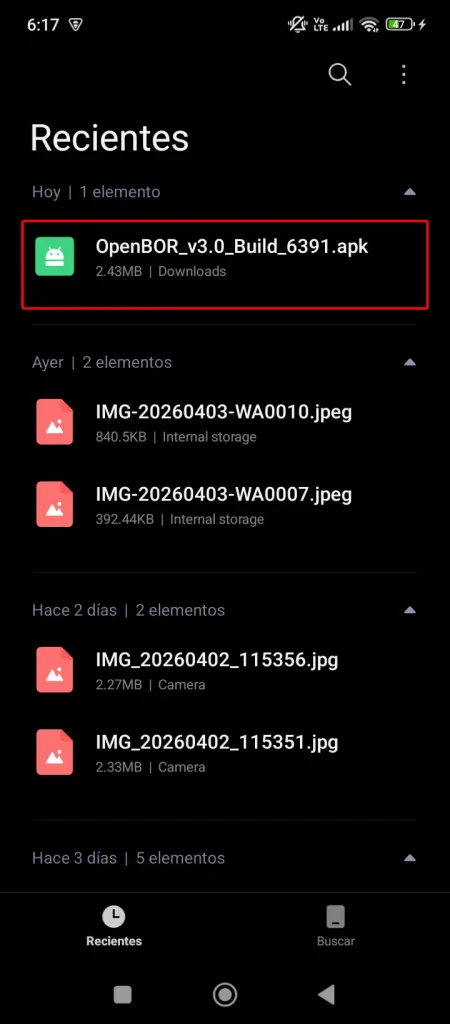
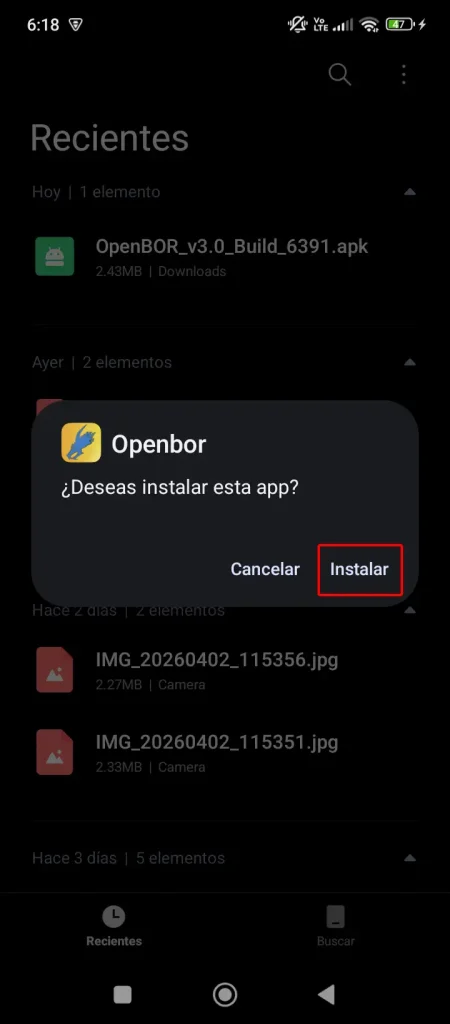
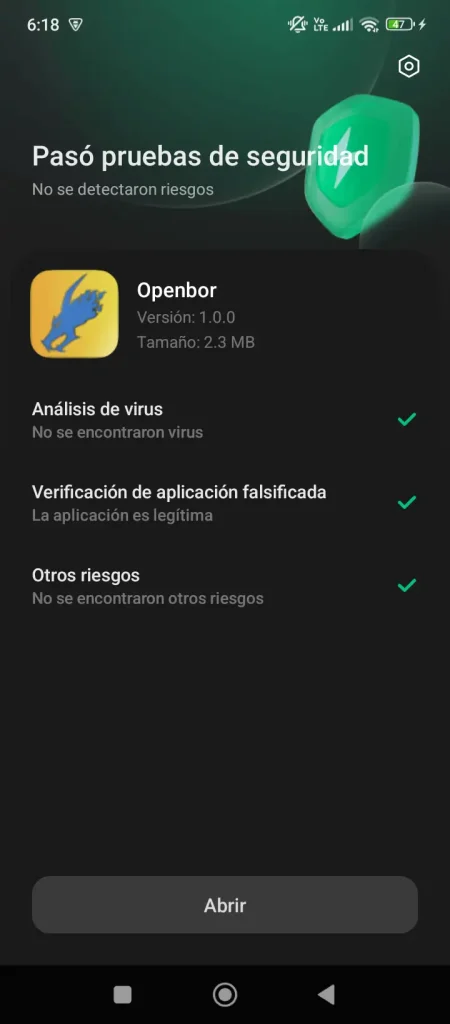
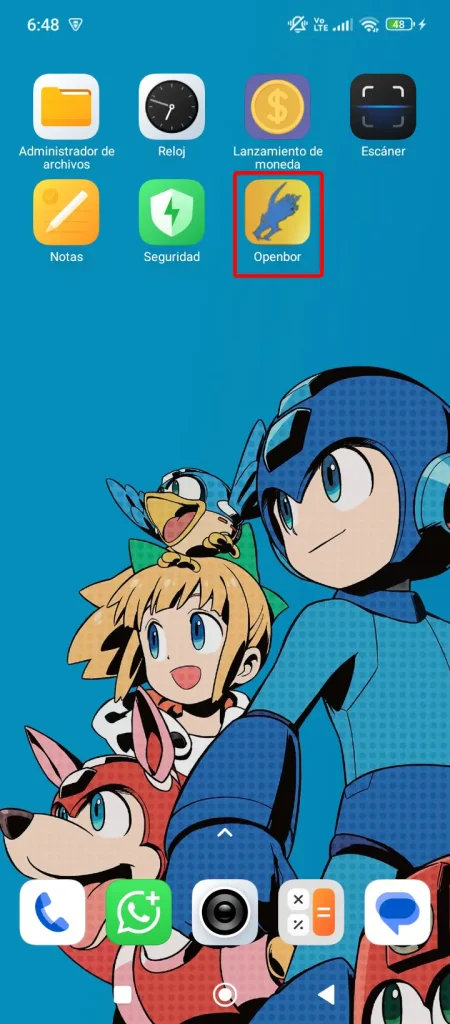
Step 2: Run the Application
After installation, find the OpenBOR icon on your Android and launch the app. You’ll notice it has no games, this is normal. It will create a folder called “OpenBOR” in your device storage.
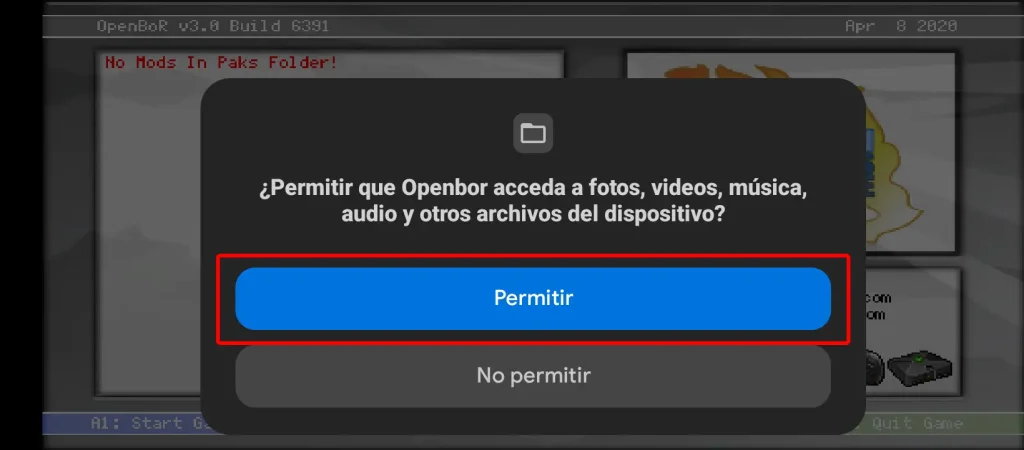
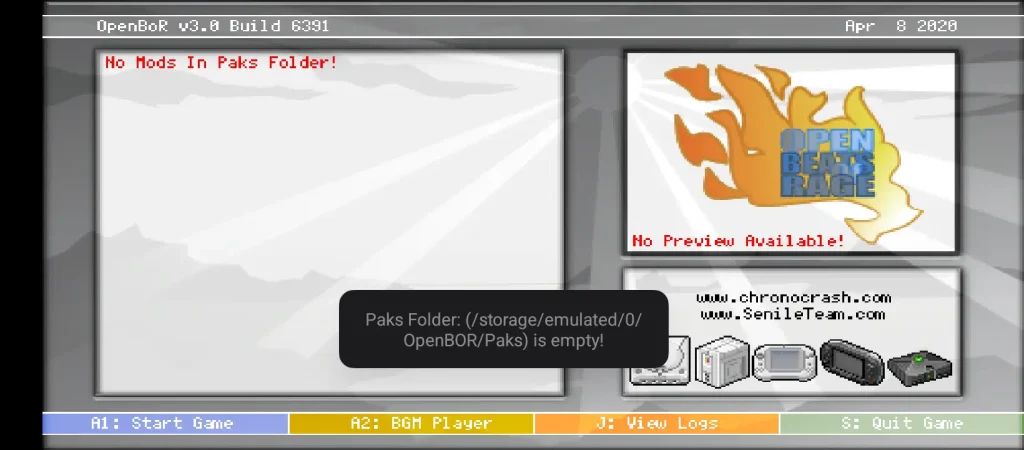
Once you confirm there are no games, fully close the app (make sure it’s not minimized or running in the background).
Step 3: Install OpenBOR Games on Your Android
Locate the “OpenBOR” folder and place your games inside the “Paks” folder:
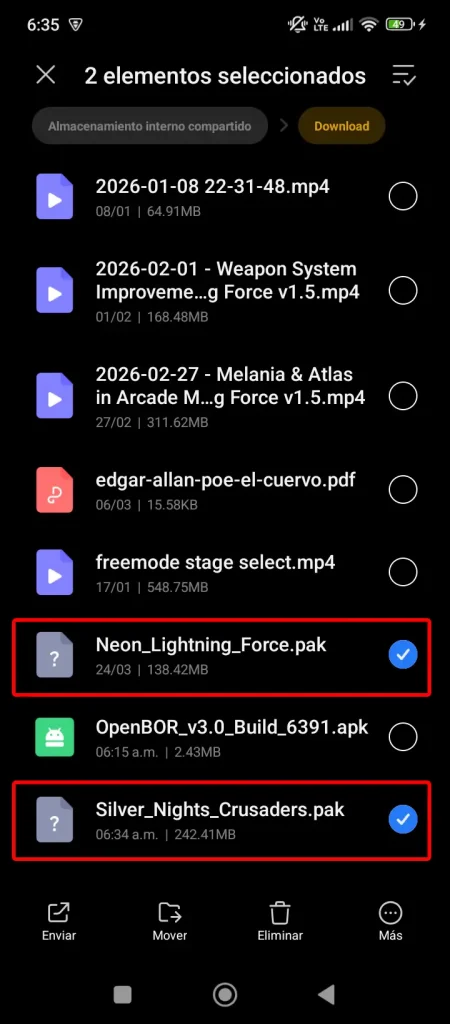
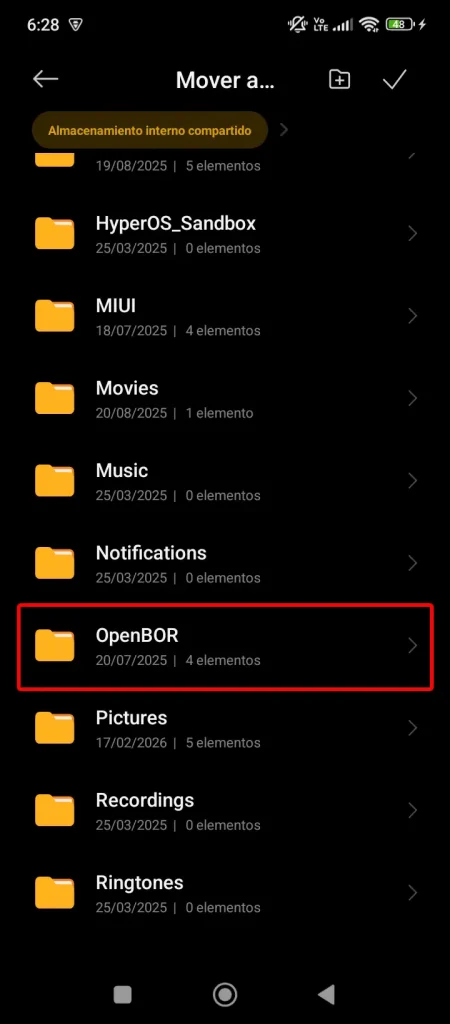
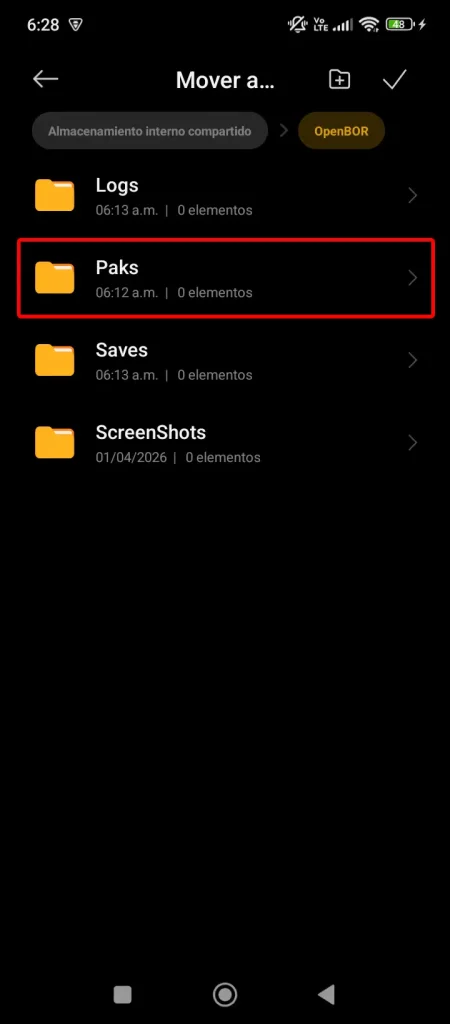
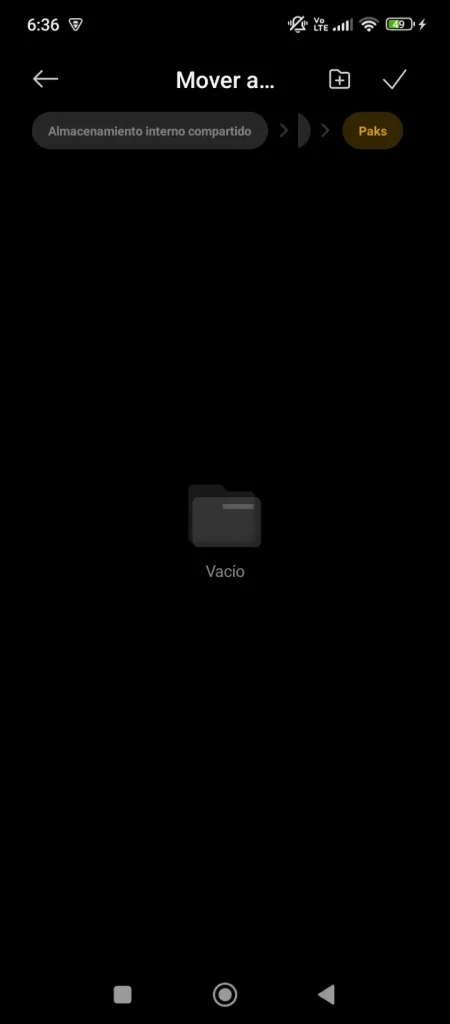
IMPORTANT: If you had already opened the OpenBOR emulator, make sure to fully close it. The “Paks” folder won’t refresh until the app is restarted, and it may appear empty even if games are inside.
(Don’t say “the tutorial doesn’t work” later xd).
Step 4: Enjoy OpenBOR Games on Your Android
If you have more than one game, you’ll see a menu like this:
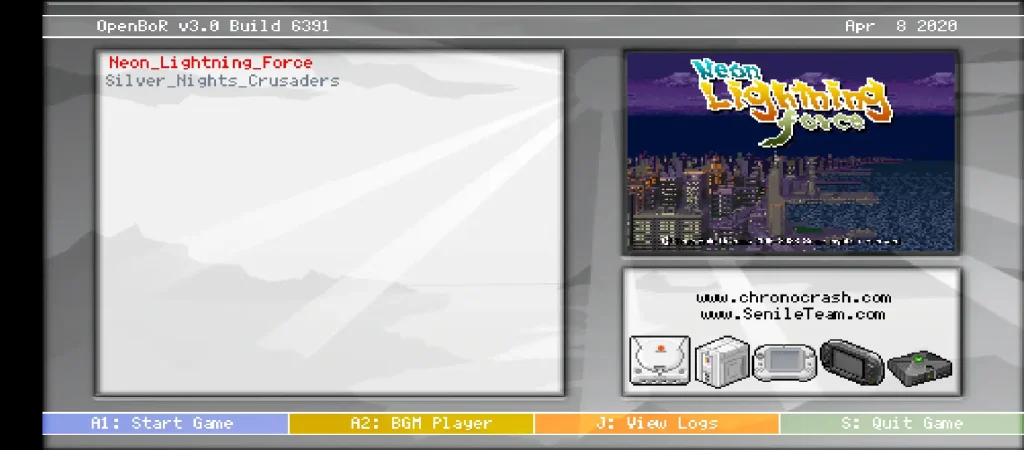
If you only have one “.pak” file, the emulator will start the game automatically when you open it.
And that’s it! I hope this tutorial helped you play OpenBOR games on your Android. If you have any questions, feel free to leave a comment or contact me through my social media.
If you enjoy OpenBOR games, check out the ChronoCrash community, where you’ll find a wide catalog of high-quality games.
This tutorial has been successfully tested on the following devices:
- Redmi (screenshots in this tutorial were taken from this model)
- Samsung Galaxy
- Azumi Ultra (Azumi A40Q) with Android 4.4 KitKat
To stay updated on news and progress from True Role Dreams, visit our development blog.

4 Responses
How to solve problems openbor?
How can the problem not work on openbor?
@karimzizo994@gmail.com Hi, I don’t understand xd, the app works good in my smartphone (Huaweii model). I used an Azumi smartphone for doing this tutorial.
I have a moto g play Android phone by metro. I don’t have a PC the android tutorial either is not working or I’m doing it wrong idk it won’t work for me